
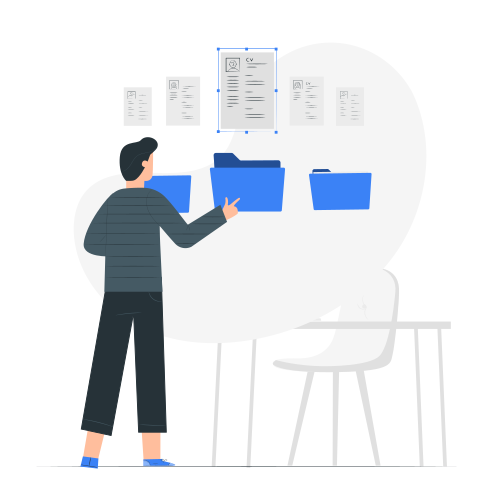
Why Bother With a Resume Builder?
Let me be honest with you. You could open a Word document right now and start typing. Plenty of people still do that.
But here's what happens: you spend hours fighting with margins, tabs won't align properly, you change one thing and suddenly everything shifts. And when you're done, you still have no idea if the formatting will survive once someone opens it on their computer.
Key Takeaways
- •A good resume builder saves hours of formatting headaches
- •Look for ATS-compatible templates that work across industries
- •AI writing assistance can help with bullet points and summaries
- •Export options matter—you'll need PDF, DOCX, and sometimes plain text
- •The best tools let you customize templates without breaking the design
A good resume builder skips all that frustration. You pick a template that already looks professional, drop in your information, and the design stays consistent. The time you save on formatting goes toward actually improving your content.
What Separates Good Builders From Bad Ones
Templates That Fit Your Industry
Not every template works for every job. A creative director applying to an ad agency needs something different than a finance professional targeting investment banks.
The best builders give you options: conservative designs for traditional industries, cleaner modern looks for tech, and templates with more visual flair for creative roles. The key is having choices that actually match where you're applying.
Built-in ATS Compatibility
Here's where a lot of free tools fall short. They'll give you beautiful designs that look terrible to an ATS because of how they're formatted under the hood.
Look for builders that use ATS-friendly structures. Even better if they can analyze your resume against job descriptions and show you which keywords you're missing.
Writing Help That Actually Helps
Staring at an empty bullet point wondering how to describe your last job? AI features can genuinely help here. Good tools can take your rough description and suggest stronger language, or generate starting points you can customize.
The trick is finding AI that gives you a foundation to build on, not generic content that sounds like everyone else's resume.
Export Options That Make Sense
You'll want PDF for most applications since it preserves your formatting perfectly. Occasionally a company will ask for Word format. And for those annoying application systems that make you paste text into boxes, having a plain text version saves you from reformatting everything manually.
Finding the Right Fit
Does It Feel Natural to Use?
This matters more than you'd think. If you're constantly fighting the interface, you'll rush through and end up with a worse result. The best builders let you focus on content, not on figuring out how the tool works.
Can You Actually Customize It?
Templates are great starting points, but you should be able to adjust colors, fonts, and section order. Maybe you want to put skills before experience, or you need to add a section for certifications. Flexibility matters.
What Does Free Actually Include?
Some tools let you build your entire resume for free and only charge when you export. Others paywall the good templates. Understand the pricing before you invest time.
Building Your Resume: The Process
Start With Template Selection
Match the template to the job you're targeting. Applying to a law firm? Go classic and conservative. Startup? Something modern and clean. This first choice shapes everything else.
Add Your Information Section by Section
Work through each part: contact details, summary, experience, education, skills. Don't try to perfect each section on the first pass. Get everything in there first, then refine.
Let AI Handle the Heavy Lifting
If your builder has AI features, use them for the parts you find hardest. Most people struggle with bullet points and summaries. Let the AI generate options, then edit them to sound like you and include your specific accomplishments.
Review and Export
Preview the final version. Read through it once looking for typos, once checking that the formatting looks right. Then download and you're ready to apply.
What We Built With ResumeExpert
We focused on the things that actually matter for job seekers: templates that work across industries, AI that helps with the writing parts people struggle with, and automatic ATS checking so you know your resume will get through.
You get 17 templates to choose from, a cover letter builder if you need it, and you can start using everything for free. No tricks, no bait-and-switch.
What It Comes Down To
A resume builder should save you time and give you a better result than you'd get on your own. That's it. If you're spending hours on formatting instead of content, or second-guessing whether recruiters will actually see your application, you're using the wrong tool.
Find something that handles the technical stuff so you can focus on telling your story.